
Licensed General Contractor · Licensed New Home Builder in MD · 20+ Years DC, Maryland & Virginia Construction Experience
You've got a lot. Maybe you just bought it. Maybe you've owned it for years. Maybe you're about to make an offer and your finger is hovering over the "submit" button while your spouse refreshes the bank account in another tab.
The question buzzing in your head is simple: How big of a house can I actually build here?
Quick Answer: How Big of a House Can I Build on My Lot?
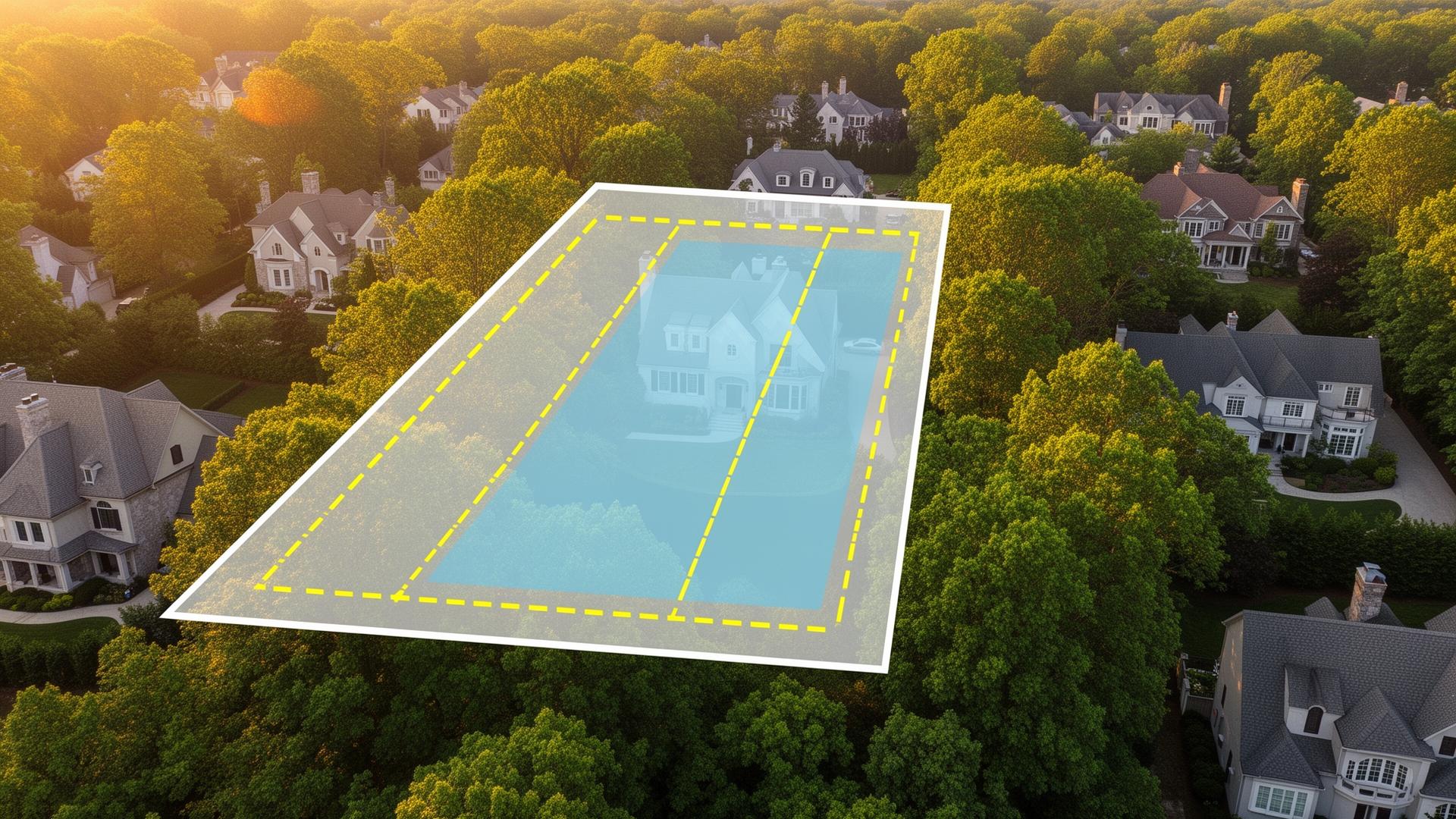
The maximum house size you can build depends on more than your lot's square footage. Zoning, setbacks, building or lot coverage, height limits, impervious surface limits, FAR where applicable, easements, and other site-specific constraints determine your actual buildable envelope.
In Montgomery County, two lots of the same size can support very different homes depending on their zoning, dimensions, and property-specific restrictions. Calculate the buildable envelope before paying for architectural plans.
The answer is not simple at all. It depends on at least six regulatory factors that interact with each other in ways that would make a tax attorney reach for a bottle of something strong. But understanding these rules is the difference between designing a home that sails through permitting and one that gets bounced back three times for revisions — each round costing you $5,000–$15,000 in architect fees and 4–8 weeks of delay.
I've spent 20+ years navigating these calculations in the DC suburbs. I've seen homeowners lose months and tens of thousands of dollars because they assumed their 10,000 square foot lot could accommodate a 4,000 square foot home. (It couldn't. Not even close. The zoning had other plans.)
Let me make this as painless as possible.
The Six Filters That Determine Your Maximum Home Size
Think of these as a series of constraints. Your lot passes through each one, and whichever filter creates the smallest allowable home — that's your actual maximum. You can't exceed ANY of them, even if the other five would let you build a mansion.
This is the part where most homeowners' eyes glaze over. Stay with me. The math isn't hard. The consequences of not doing it are expensive.
Filter 1: Building Coverage (Your First-Floor Footprint Limit)
Building coverage is the percentage of your total lot area that the building's footprint can occupy. First floor outline, measured from the outside of exterior walls. Includes the attached garage, because the county doesn't care that you consider your garage a separate thing from your house. It's under the same roof. It counts.
In Montgomery County:
- R-60 zone: 35% maximum building coverage
- R-90 zone: 25% maximum building coverage
- R-200 zone: 25% maximum building coverage
Let's make that real.
A 9,000 sf lot in R-60 zoning allows 3,150 sf of building footprint (9,000 × 0.35). That's a generous first floor. You can design a comfortable single-story layout with that, or a very spacious two-story home with a two-car garage.
That same 9,000 sf lot in R-90 zoning? Only 2,250 sf of footprint (9,000 × 0.25). That's 900 square feet less. Gone. Vanished into the regulatory ether. That 900 sf is roughly the size of a primary suite and walk-in closet — or a two-car garage. You're losing something significant.
Same dirt. Different rules. Entirely different home.
Building coverage tells you how wide your home can spread across the lot. A larger footprint means more living space on fewer floors — which typically costs less to build, is easier to live in, and ages better than a tall, narrow house where you're climbing stairs to get to the laundry room.
Filter 2: Setbacks (The Invisible Fences Inside Your Lot)
Setbacks are the minimum distances your home must maintain from each property line. Think of them as no-build zones that shrink your usable lot area from every direction. After applying setbacks, what's left is your "buildable envelope" — the rectangle (or irregular shape, on non-rectangular lots) where your entire home must fit. Nothing above grade crosses these lines. Nothing. For a deep dive into the traps and exceptions, see our complete guide to setback requirements with real examples.
In Montgomery County:
| Zone | Front | Each Side (min) | Both Sides | Rear |
|---|---|---|---|---|
| R-60 | 25 ft | 8 ft | 18 ft | 20 ft |
| R-90 | 30 ft | 10 ft | 25 ft | 30 ft |
| R-200 | 40 ft | 12 ft | 30 ft | 35 ft |
Now the fun part. Let's do the math on a real lot.
Example 1: A nice lot — 75' × 120' in R-60 zoning (9,000 sf)
Subtract 25 feet from the front. Subtract 20 feet from the rear. You have 75 feet of buildable depth.
Subtract 8 feet from one side and 10 feet from the other (to hit that 18-foot combined minimum). You have 57 feet of buildable width.
Buildable envelope: 57' × 75' = 4,275 sf. But building coverage caps you at 3,150 sf (9,000 × 35%). So coverage is your constraint, not the envelope. Good news: you have room to position the house comfortably within the envelope.
Example 2: A narrow lot — 50' × 130' in R-60 zoning (6,500 sf)
Front and rear setbacks: 130 - 25 - 20 = 85 feet of depth. Generous.
Side setbacks: 50 - 8 - 10 = 32 feet of width. Not generous. Not generous at all.
Buildable envelope: 32' × 85' = 2,720 sf. Coverage limit: 6,500 × 35% = 2,275 sf.
Your maximum footprint is 2,275 sf — AND it can only be 32 feet wide. You're designing a long, narrow home or going three stories to get adequate square footage. Neither is particularly cheap or easy. This is the kind of constraint that should make or break a lot purchase decision, and it's the kind of constraint most buyers don't discover until they're sitting in an architect's office watching their budget evaporate.
Example 3: A premium lot — 90' × 150' in R-90 zoning (13,500 sf)
Front and rear: 150 - 30 - 30 = 90 feet of depth. Beautiful.
Sides: 90 - 10 - 15 = 65 feet of width (meeting the 25' combined).
Envelope: 65' × 90' = 5,850 sf. Coverage: 13,500 × 25% = 3,375 sf.
Coverage is the binding constraint. Your house can fit in a much larger envelope, but the footprint maxes at 3,375 sf. With a full basement and two stories above grade, that's roughly an 8,000–9,000 sf total home. Substantial. But it's the coverage that determines the ceiling, not the lot's raw dimensions.
Every lot has a different combination of these constraints. LotIQ calculates the exact buildable envelope for any Montgomery County address — enter the address and get the numbers in seconds instead of spending an hour with a calculator, a zoning map, and a growing sense of unease.
Filter 3: Height Limits (How Tall You Can Go)
Most residential zones in Montgomery County have a 35-foot height limit measured from average pre-construction grade to the midpoint of the highest roof surface. R-200, RE-1, and RE-2 zones get 50 feet. Everyone else gets 35.
What does 35 feet actually accommodate?
Two stories + full basement: Comfortable. This is the standard configuration for most custom homes in the DC suburbs — and for good reason. Two 10-foot ceilings above grade plus a 9-foot basement ceiling works well within 35 feet, with room for floor/ceiling assemblies and a standard roof pitch.
Three stories above grade: Possible, but you're managing floor-to-floor heights carefully. Three stories at 35 feet means roughly 10.5 feet per level — which works with 9-foot ceilings and standard floor assemblies, but doesn't allow for the 10-foot ceilings that look so good on the first floor of a custom home.
Two stories + walkout basement on a slope: Often the most efficient use of height on sloped lots. The downhill side exposes the basement as a full level with daylight windows and walkout access. You get three full levels of living space while the uphill side of the house looks like a two-story home. This is why walkout basements are the secret weapon of Bethesda and Potomac builders — you get a full additional level of living space essentially "for free" from a height-limit perspective.
The slope works in your favor if you design for it. It works against your budget if you don't.
Filter 4: Impervious Surface Coverage (The Driveway Problem)
This is the filter that sneaks up on people at the worst possible time — usually about three-quarters of the way through design, right when you thought all the zoning constraints were handled.
Impervious surface limits cap the total area of your lot that doesn't absorb rainwater. This includes:
- Your home's footprint (same as building coverage)
- Driveway
- Sidewalks and pathways
- Patios and hardscaped areas
- Pool decks
- Any concrete, asphalt, or other non-permeable surface
In Montgomery County R-60 zones, the impervious surface limit is typically 50% with qualifying environmental site design measures, or 60% without.
Here's where the math bites.
You design a 3,000 sf home on a 9,000 sf lot — that's 33% building coverage, well under the 35% limit. Feeling good. Then you add a 600 sf two-car driveway, 400 sf of walkways, and a 500 sf patio. Now you're at 4,500 sf of impervious surface — 50% of your lot. Right at the limit.
Want to add a pool with a 300 sf concrete deck? You just exceeded the limit. Now you're either reducing your driveway to a single-car width, ripping out the walkways, installing permeable paving at three times the cost of concrete, or implementing additional stormwater measures that eat into your budget and your yard.
Impervious surface is the constraint that nobody budgets for, nobody designs around, and everybody discovers at the worst possible moment. Include your driveway, patio, and pool deck in your calculations from day one. Not day ninety.
Filter 5: Floor Area Ratio (FAR) — If Applicable
FAR limits the total floor area of your home as a ratio of lot size. Not every jurisdiction uses FAR for single-family residential zones. Montgomery County generally controls home size through building coverage and height rather than FAR for most residential properties.
However — and there's always a however — some local overlays, planned developments, or special zones may impose FAR limits. If FAR applies to your lot:
- FAR of 0.35 on a 10,000 sf lot = 3,500 sf maximum total floor area (all floors combined)
- FAR of 0.50 on the same lot = 5,000 sf maximum
FAR is the ultimate ceiling because it limits total square footage regardless of how many floors you build. A 0.35 FAR on a 10,000 sf lot means 3,500 sf total — period. Doesn't matter if you spread it across one floor, two, or three. The number is the number.
Check whether your specific lot has FAR restrictions. Most standard Montgomery County residential zones do not, but "most" isn't "yours." Verify.
Filter 6: Lot-Specific Constraints (The Wildcards)
Beyond the universal zoning rules, individual lots have individual problems. These are the constraints that don't appear in any zoning table and require actual investigation of your actual lot.
- Easements. A 15-foot utility easement along one side of your lot effectively reduces your buildable width by 15 feet. It's still your property. You just can't put a house on it. Or a garage. Or anything with a foundation.
- Stream buffers. A waterway or stream bed running through or adjacent to your lot triggers stream valley buffer requirements that can extend 50–100+ feet from the center of the waterway. These buffers are completely unbuildable. Not "challenging to build in." Not "requires a variance." Unbuildable.
- Steep slopes. Areas with grades over 25% may be classified as environmental buffers and excluded from buildable area calculations entirely. The lot might be 15,000 sf on paper, but if 4,000 sf of it is a steep slope that can't be built on, your effective lot is 11,000 sf.
- Protected trees. Significant trees within your buildable area may require preservation, which restricts where you can place the home, how you access the site with equipment, and how much of the lot you can actually use.
- Floodplain. Any portion within a FEMA-designated floodplain is effectively unbuildable for living space. You can still look at it. You just can't live on it.
These constraints can reduce your effective buildable area far below what the zoning tables suggest. A 10,000 sf lot that theoretically allows a 2,500 sf footprint might practically allow only 1,800 sf once you account for a drainage easement and two oaks that nobody's allowed to touch.
How to Calculate Your Maximum Home Size: The Actual Math
Here's the step-by-step process. I'll keep it short because you've already read a lot of words about zoning and you deserve a finish line.
Step 1: Determine your zoning designation. LotIQ, MC Atlas (atlas.mcgov.org), or Maryland SDAT.
Step 2: Calculate maximum building footprint. Lot area × maximum coverage percentage.
Step 3: Apply setbacks to find your buildable envelope. Subtract front, rear, and side setbacks from lot dimensions.
Step 4: Take the smaller number. Your actual maximum footprint is the LESSER of the coverage calculation (Step 2) or the footprint that fits within the setback envelope (Step 3).
Step 5: Multiply by buildable stories. If your footprint is 2,500 sf and you can build two stories plus a basement:
- Basement: 2,500 sf
- First floor: 2,500 sf
- Second floor: ~2,200 sf (typically slightly smaller due to wall offsets, stairways, and architectural features)
- Total finished area: approximately 7,200 sf
But if FAR applies and limits you to 5,000 sf total, that's your ceiling regardless.
Step 6: Subtract for lot-specific constraints. Easements, buffers, protected trees, or slopes that encroach into your buildable envelope reduce the practical number.
Or skip all of this and enter the address into LotIQ. It runs these calculations automatically for any Montgomery County property. Thirty seconds. No calculator required. No zoning map squinting. No existential dread.
When Your Lot Isn't Big Enough (And What to Do About It)
Sometimes the math doesn't work. The lot can't support the home you envisioned. This is disappointing but it's significantly less disappointing than discovering it after spending $8,000 on architectural plans that can't be permitted.
Here are your options:
Go deeper, not wider. A finished basement effectively doubles or triples your living space without increasing building coverage. On sloped lots, a walkout basement provides daylight living space that feels nothing like a traditional basement — natural light, direct outdoor access, and a sense of being on the ground floor, not underground. Basements are the reason many Bethesda homes have 6,000+ sf of finished space on lots that only support 2,500 sf footprints.
Build up, not out. A third story adds square footage without increasing footprint or coverage. The cost per square foot for a third floor runs roughly 10–15% more than main-level construction due to structural requirements, but it's significantly less expensive than buying a bigger lot in the same neighborhood. The trade-off: stairs. Lots of stairs.
Use below-grade space creatively. Sub-basement areas — wine cellars, home theaters, utility rooms, storage — don't count toward building coverage and may be excluded from FAR calculations in some jurisdictions. These aren't living spaces in the traditional sense, but they're functional square footage that adds value and usability.
Buy a different lot. If the math fundamentally doesn't work — if you need 4,500 sf of footprint and the lot maxes at 2,200 sf — the lot isn't the right lot for your project. Better to know that now, before the offer, than after the closing. This is the outcome that everybody dreads and nobody regrets. There are other lots. There are not other $900,000 mistakes you can easily unwind.
For a comprehensive guide to evaluating whether a specific lot can support your project, see our complete lot buildability guide.
The Basement Advantage (Why Montgomery County Builders Love Going Underground)
In a market where building coverage limits your footprint, basements are the loophole. A legal, county-approved, structurally sound loophole.
Basement square footage does NOT count toward building coverage in Montgomery County. A 2,500 sf footprint with a full finished basement gives you 2,500 sf of living space that doesn't affect your coverage calculation at all. Add two stories above grade and you have a 7,200 sf home on a lot that only "allows" 2,500 sf of coverage.
This is why virtually every new custom home in Bethesda, Potomac, and Chevy Chase includes a finished basement. It's not because people love basements. It's because basements are the only way to get adequate square footage within coverage limits. The best designs don't feel like basements — walkout access, full-height ceilings, abundant natural light, and high-end finishes make them indistinguishable from above-grade floors.
On sloped lots, the walkout basement is particularly powerful. The downhill side is fully above grade with windows, doors, and outdoor access. It reads as a ground-floor living level, not a basement. These are the lots that experienced builders seek out specifically — the slope that most buyers see as a complication, builders see as an opportunity to add 2,000+ sf of premium living space at below-grade cost.
Your Next Steps
Quick check: Enter any Montgomery County address into LotIQ to see zoning, setbacks, buildability, and maximum home size in 30 seconds. Free, no login required, and infinitely faster than manual calculations.
Ready to design? Start with a realistic understanding of your buildable envelope, then engage an architect who can maximize your square footage within the constraints. For expert guidance on the entire process — from lot evaluation through construction management — explore Iron Gate's owner-builder consulting program.
Want to understand the full cost picture? Once you know your maximum home size, use our 2026 custom home cost guide to build a realistic budget for your project.
Frequently Asked Questions
How do I find the building coverage limit for my lot?
Building coverage limits are determined by your lot's zoning designation. In Montgomery County, R-60 zones allow 35% building coverage and R-90 zones allow 25%. Look up your zoning at atlas.mcgov.org or enter your address in LotIQ for instant results including coverage limits, setbacks, and buildable area — all calculated automatically.
Does a basement count toward building coverage?
No. A basement does NOT count toward building coverage — only the above-grade footprint counts. This is the single most important loophole in Montgomery County residential zoning. A 2,500 sf footprint with a finished basement gives you 2,500 sf of living space that has zero impact on your coverage calculation. It's why every new custom home in the DC suburbs has a finished basement.
Do decks count toward building coverage?
Uncovered decks at any height above grade are generally NOT included in building coverage calculations in Montgomery County. Covered porches and enclosed porches ARE included. However — and this catches people — all decks DO count toward impervious surface calculations unless they use a permeable decking system. Separate rules. Both apply.
What if my lot is irregularly shaped?
The simple rectangle calculations don't work on triangular, pie-shaped, or flag lots. You need a professional survey and site plan analysis that accounts for the actual lot geometry when applying setbacks. LotIQ accounts for lot shape in its buildability calculations, which helps for initial screening. For final design, your architect and surveyor will need to work with the actual boundary survey.
What is the maximum height for a residential home in Montgomery County?
Most zones: 35 feet, measured from average pre-construction grade to the midpoint of the highest roof surface. R-200, RE-1, and RE-2 zones allow 50 feet. The 35-foot limit comfortably accommodates two stories plus a full basement. Three stories above grade is possible but requires careful management of floor-to-floor heights — you're working with roughly 10.5 feet per level, which means 9-foot ceilings and standard floor assemblies with not much room to spare.
Vipin Motwani
Founder, Iron Gate Development